
GDM Yearly Pricing Increase
Modified on: Fri, Oct 30, 2026 at 11:49 AM
-GDM will send us an email with a document called GDM – Altalis – Price Schedrule – December 2025 (current year)
-Go to the S: drive/Altalis/Products/GDM/Price Increase Worksheet
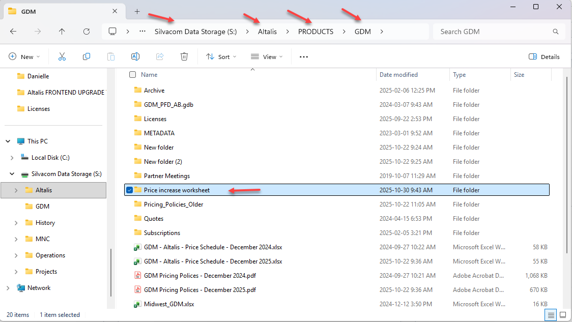
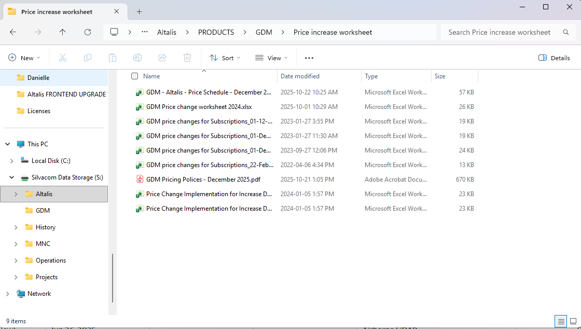
- Copy new price change and pricing policy documents from GDM’s email to this directory
-Run a Subscription report with the start date of today, clean the spreadsheet to show only the GDM subscriptions using the data filter, select LP, EP and Transportation.
-Turn the file into an Excel Worksheet (xlsx)
-Make sure to add the same columns as in the spreadsheet from the previous year.
-Rename the subscription report to: ‘GDM Price change worksheet 2025’ (current year)
-Remove all the Altalis and Silvacom out of this list, and any of the internal staff.
-Sort by date (December to November)
-Create new columns for new prices and notes
-Open ‘GDM - Altalis - Price Schedule - December 2025’
-Input new price for each customer & product
-For each customer:
- Go to proper product tab in the price schedule (Make sure to check how many seats and what province the client has the license for)
The tabs we use are ‘Non BOE Enh Pipes & Facs’, ‘Non BOE LPP’ and ‘Non BOE TID’
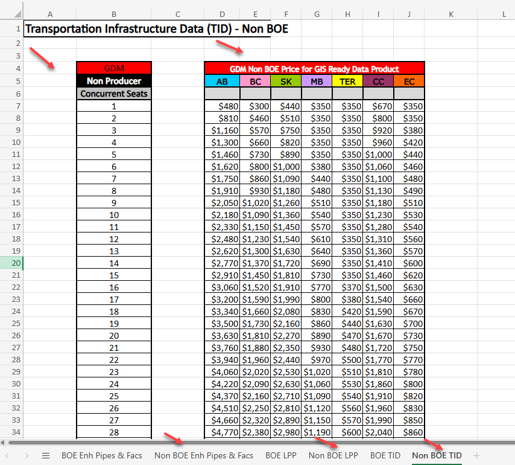
- Input new price to the price change worksheet
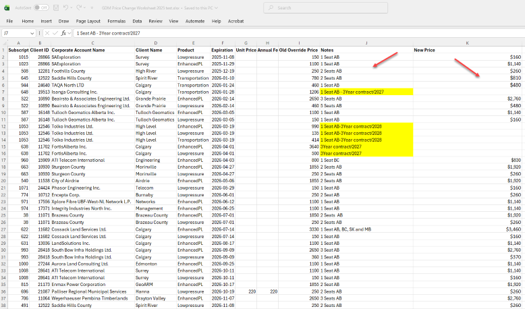
-Determine if it’s a 3-year subscription
-Leave all the 3 Year contract as they are, since the prices will not change (3year contract have a 10%discounts)
-Add notes accordingly to each client’s situation, for example, the number of seats they have, what province they subscribe to and whether they are in a 3-year contract
-Make sure to look when the 3 Year contracts will end, to determine how we will handle them. For example, If the contract is ending soon, we might contact them offer a renewal so they can continue taking advantage of the 10% discount, or if we may switch them to a year-to-year term.
- Input new price for each customer in our system
-Now go to ‘Client Manager’ and find the each GDM client’s account
-Go to ‘Manage Subscriptions’ and find the GDM subscriptio
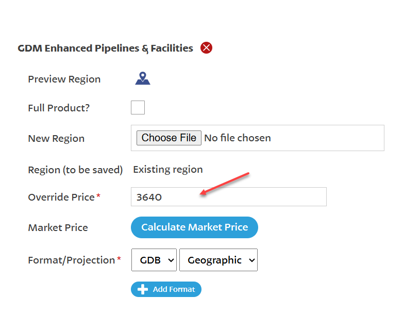
Edit the ‘Override Price’ according to the GDM Price Schedule and add notes to the comments click the ‘Update Comments’ and click ‘Next: Costs & Payment Options’’
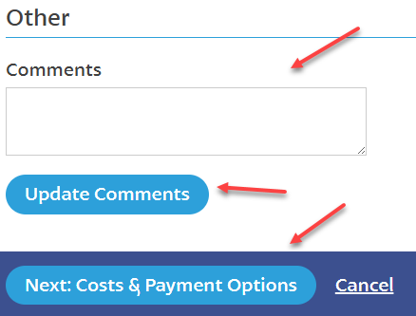
-Make sure to add on the notes the old price, the new price and the date that the action was taken.
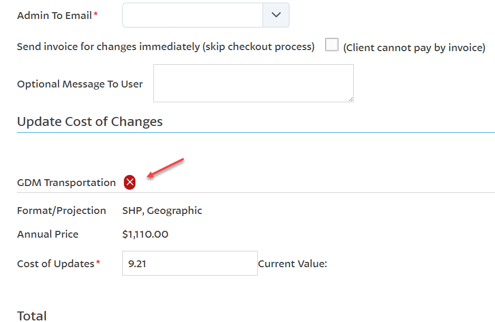
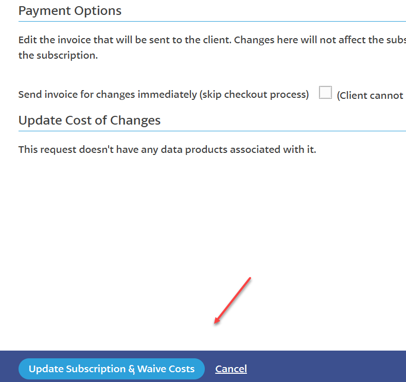
-On the next page, click the red ‘X’ to close the price change as we are not sending any invoices or prices to the client right now. Then ‘Update Subscription & Waive Costs’
After this is complete, we will contact all clients with an increase over $50.00 using the email below.
“Subject: GDM Pipeline Subscription: Notification of Price Increase
Hi CLIENT,
I am sending this email to inform you of a slight increase to your GDM Subscription. (Plural if they have more than one). No action is required.
The cost of your GDM Low Pressure subscription will go from $220 to $235 per year.
The cost of your GDM Enhanced Pipeline & Facilities subscription will go from $220 to $235 per year.
The cost of your GDM Transportation & Infrastructure subscription will go from $220 to $235 per year.
This new amount will be reflected on your next renewal DATE.
Thank you for subscribing with Altalis and please let me know if you have any questions!
SIGNATURE”
-We will reach out to all clients whose subscription will expiry within 6 months from the date we increase the prices in our system.